How it works
The conversion pipeline from a Mermaid definition to Excalidraw element skeletons.
parseMermaidToExcalidraw doesn't lay diagrams out itself. Pele parses the definition and draws it as an SVG. The package then reads the shapes, routes and labels from that drawing and rebuilds them as Excalidraw elements in the same places.
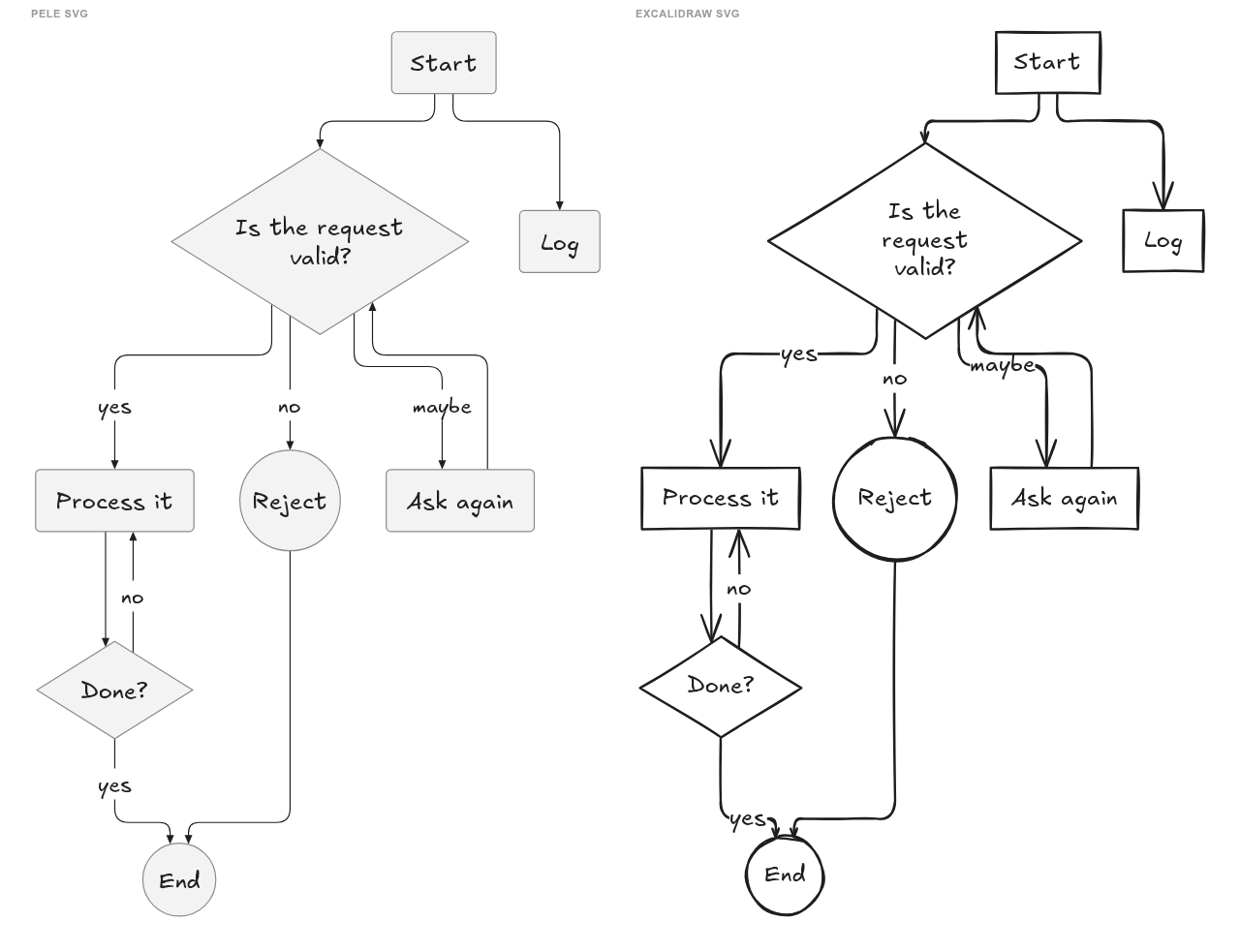
The pipeline
- Load the diagram type.
parsePeledetects the diagram type and loads Pele's code for it frompele/lazy, so each type is downloaded on first use. - Parse. Pele parses the definition into a model of the diagram, with the
maxTextSizeandmaxEdgeslimits.<br>doesn't parse everywhere\ndoes (e.g. in bare flowchart ids or sequence participants), so if parsing fails,withLineBreakFallbackretries once with<br>replaced by\n. - Lay out and draw. Pele renders the model to an SVG, at its natural size and direction. Labels are measured with Excalifont, the font Excalidraw draws them with, and the spacing between nodes is scaled up by 1.5, because Excalidraw's hand-drawn strokes and arrowheads are heavier than Pele's.
- Read the drawing. A parser per diagram type in
src/pele/combines Pele's model (ids, labels, shape types, styles) with the SVG's geometry (positions, sizes, edge routes, label positions). It returns a plain graph: aFlowchart,Sequence,Class,ERDorStatefromsrc/interfaces.ts. - Convert.
graphToExcalidrawhands the graph to its type's converter insrc/converter/types/. The converter builds element skeletons: containers with bound labels, arrows bound to their nodes, lines and text. Duplicate consecutive points are then removed from lines and arrows.
Diagram types that aren't converted skip steps 4 and 5. Pele's SVG becomes an image element, with its data in files. A diagram whose conversion throws falls back to the image too.
Source layout
| Path | What's in it |
|---|---|
src/index.ts | parseMermaidToExcalidraw, the public API |
src/parseDiagram.ts | Maps the Mermaid config to Pele's options |
src/pele/parsePele.ts | Loads, parses and renders with Pele, and picks the parser for the diagram type |
src/pele/<type>.ts | Reads a diagram type's graph from Pele's model and SVG |
src/pele/svg.ts, src/pele/elements.ts | Helpers for SVG geometry: shape bounds, edge routes, text lines |
src/interfaces.ts | The graph types passed from parsers to converters, and MermaidConfig |
src/graphToExcalidraw.ts | Picks the converter for a graph |
src/converter/types/<type>.ts | Converts a graph to Excalidraw element skeletons |
src/converter/transformToExcalidrawSkeleton.ts, src/converter/helpers.ts | Shared builders for containers, lines, arrows and text, and style and arrowhead helpers |
src/constants.ts | Defaults, such as the font size and the Mermaid config defaults |
testcases/ | Mermaid test cases, see Development |
playground/ | The playground app |
Want to support another diagram type? See Adding a diagram type.
Last updated on
